
Describe the work.
PYNGYN runs the project.
PYNGYN turns plain-language goals into a living plan: tasks, owners, timelines, and status, generated and kept current by AI. Stop maintaining the board. Start shipping.
30-min walkthrough · On your projects · No commitment
Built for professional-services and consulting firms
Growing firms lose more than they realise.
Past 20 people, the cracks appear. Not in the work, in the operating infrastructure behind it.
Knowledge walks out
A senior consultant leaves and takes 5 years of client context with them. Nobody wrote it down. The next engagement starts from zero.
Priority chaos
Three client projects are urgent simultaneously. The team does not know what to work on first. The highest-paid partner decides via chat.
SOP drift
The client onboarding process lives in one partner's head. It gets done differently every time. Quality depends on who is available.
Decision fog
A scope change agreed six months ago affects today's delivery. Nobody remembers what was decided, why, or who approved it.
Budget blindness
A partner does not know if a project is profitable until the invoice goes out. By then the overrun has already happened.
Alignment gaps
Leadership sets goals in January. By March the team is working on something else. Nobody noticed the drift until the quarterly review.
Three reasons teams switch.
Plans that build themselves
From a sentence to a full plan. Type the goal; PYNGYN generates tasks, dependencies, owners, and a realistic timeline in seconds.
Status that's always current
Never chase an update again. PYNGYN drafts progress from the work itself so the standup becomes optional.
Risk you see coming
Know what's slipping before it slips. PYNGYN watches velocity and load, and flags trouble while you can still act.
AI project management for every industry
However your team works, PYNGYN plans it and keeps it on track.
Deliver client work
on time, every time
Plan engagements, track deliverables, and keep every client account moving, without the manual status reporting.
- Run multiple client engagements at once
- Keep deliverables and deadlines visible
- Flag at-risk accounts before they slip
Running in minutes, not weeks.
Describe your goal
Type or paste what you're trying to ship, in plain language.
PYNGYN builds the plan
Tasks, owners, and a timeline appear in seconds. Edit anything.
Ship while it keeps pace
Status and risk stay current automatically as work moves.
Two kinds of space. One system.
PYNGYN keeps internal work and client work cleanly separated, without splitting your team across different tools.
Workspace
Where your firm runs itself. Teams, departments, and internal projects, engineering, marketing, HR, operations, all live here, visible to your people and structured the way your business actually works.
- One per team or department
- Internal projects and operations
- Visible to your team, not clients
ClientSpace
A dedicated home for each client engagement. That client's projects, deliverables, and status stay together in one place, cleanly separated from every other account, so nothing leaks between clients.
- One per client engagement
- Projects, deliverables, and status in one place
- Isolated from your other clients
They run on the same engine. Templates, people, and reporting carry across both, so you can stand up a ClientSpace from your standard structure and still roll every engagement up into one firm-wide view, instead of stitching internal and client work together by hand.
The actual product. Not a mockup.
Real screens from the workspace your team would use every day.
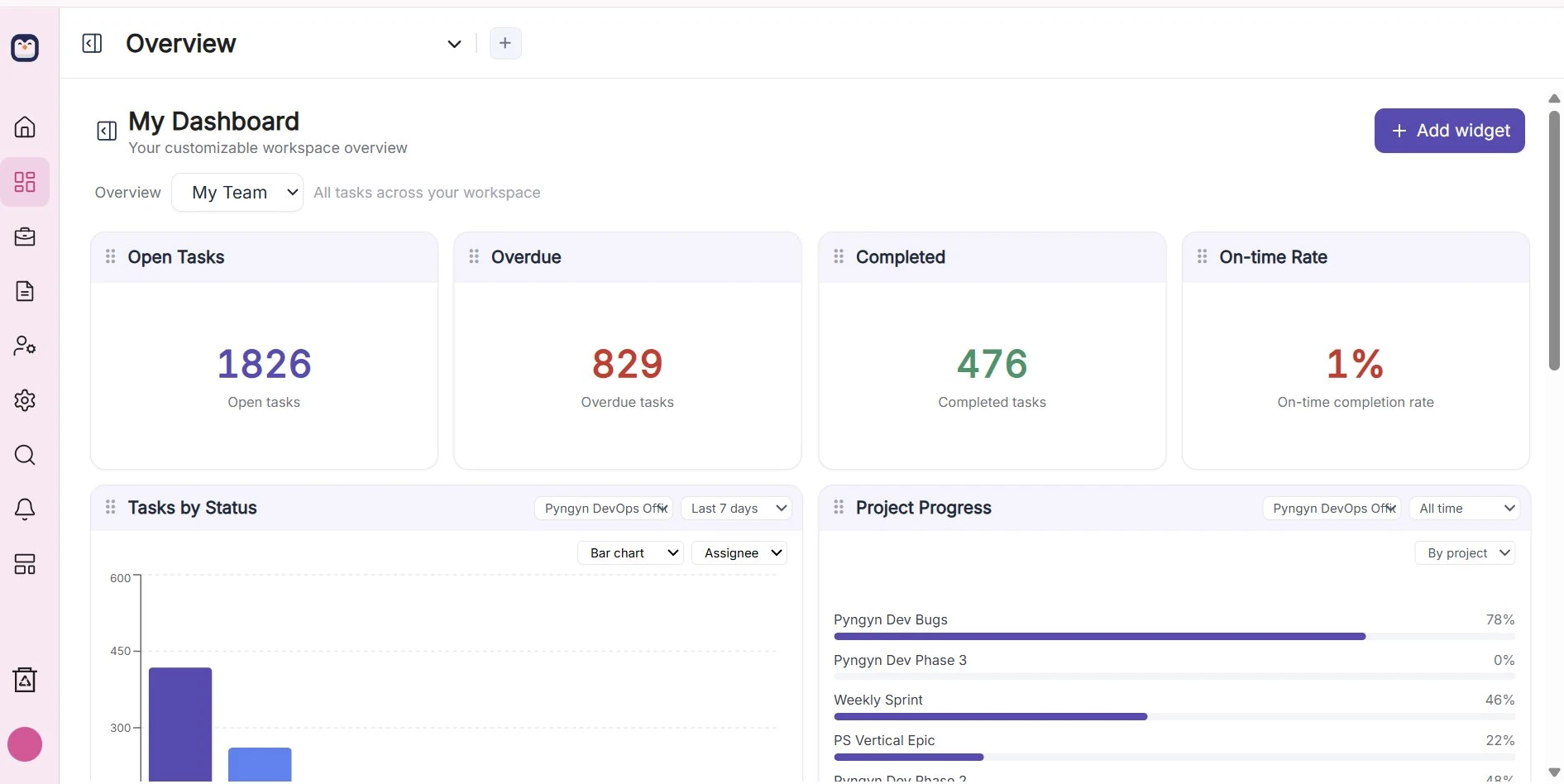
AI tells you what to tackle first.
Quick Focus reads your workload the moment you log in: what is overdue, what is nearly done, and the next best move, so nobody has to go hunting for priorities.
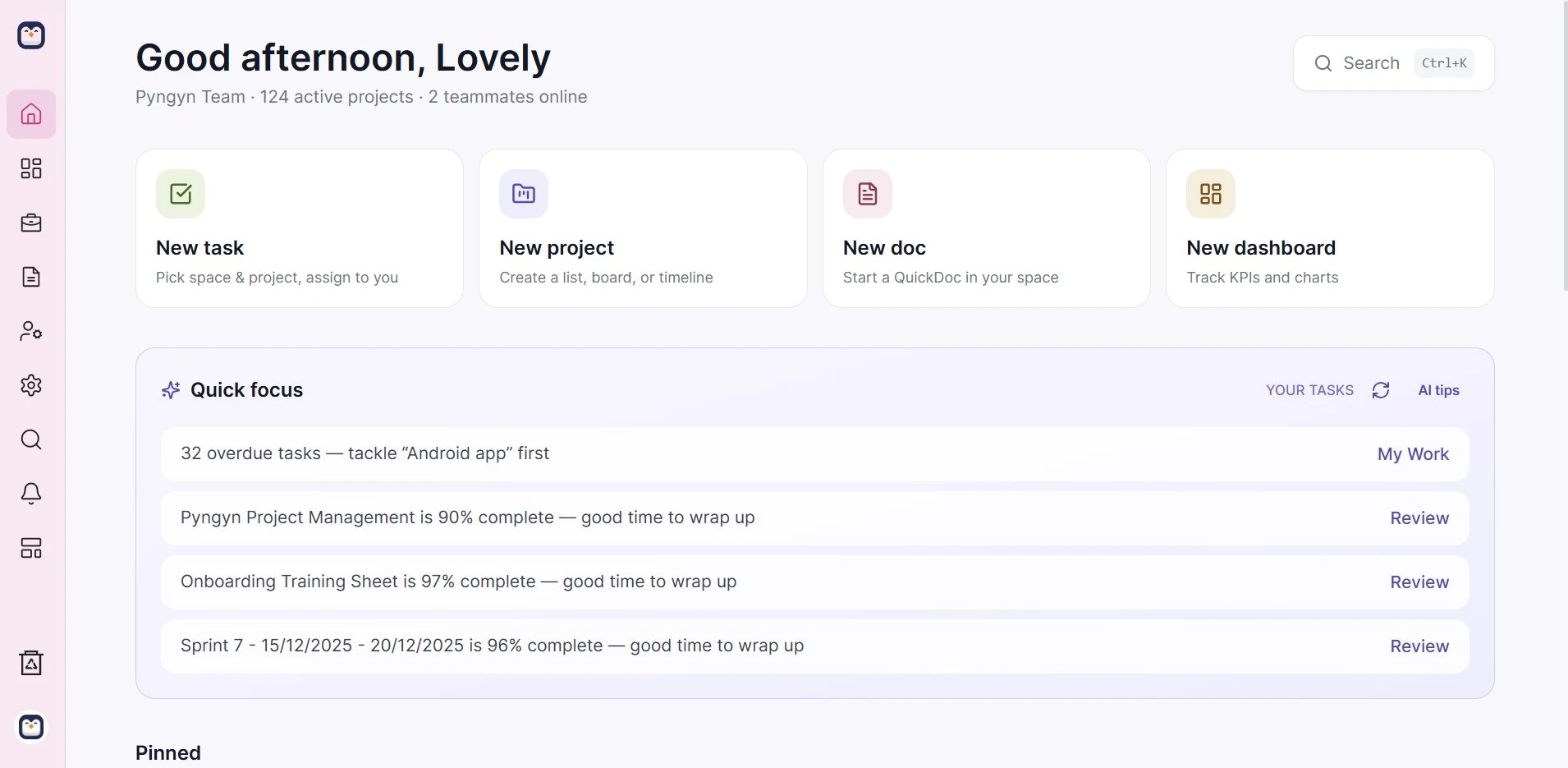
Every work item, in one place.
Sprints and tasks with status, owners, due dates, priority, and progress side by side. Switch between list, kanban, gantt, and timeline over the same data, no copy-paste between tools.
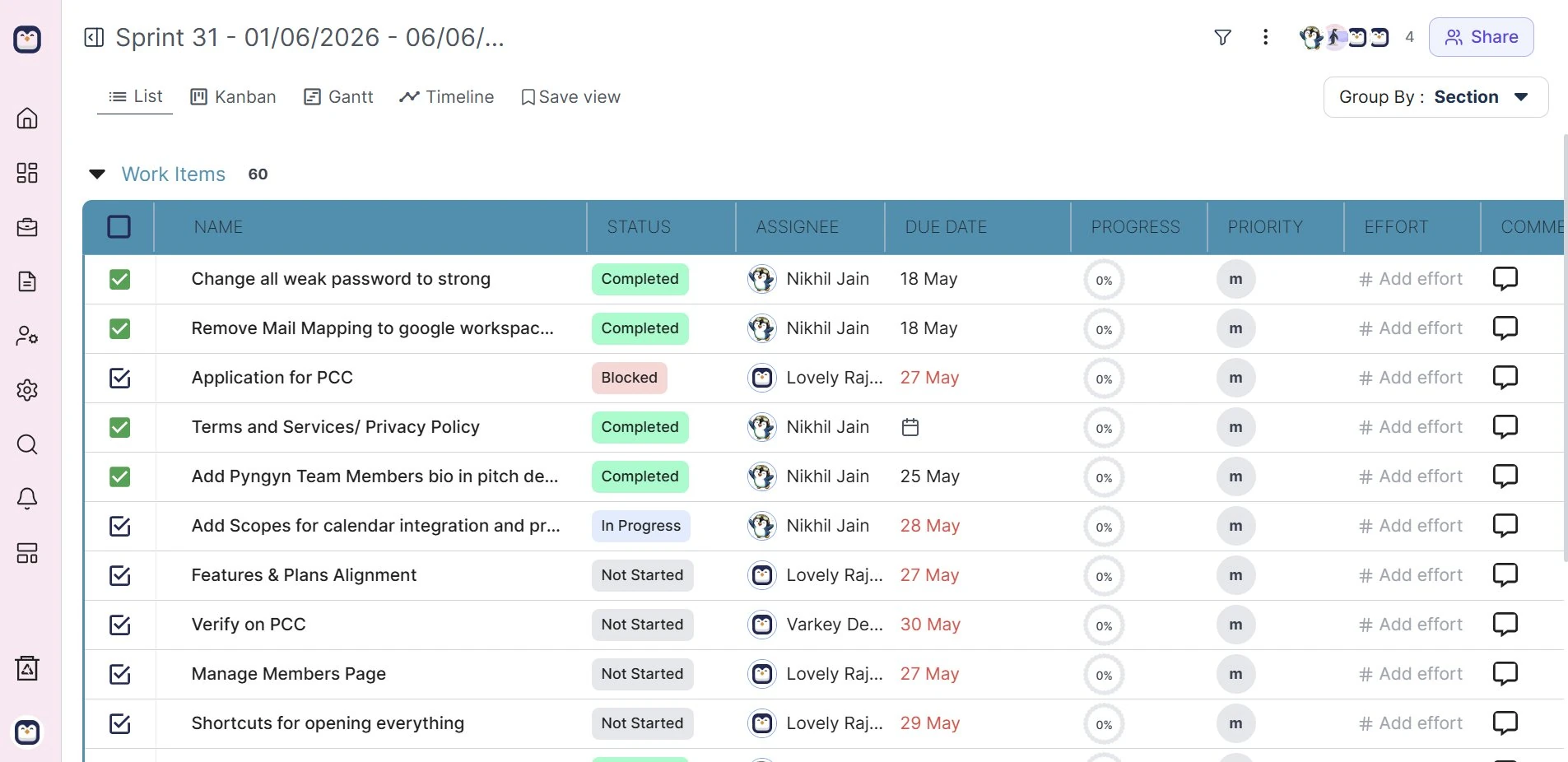
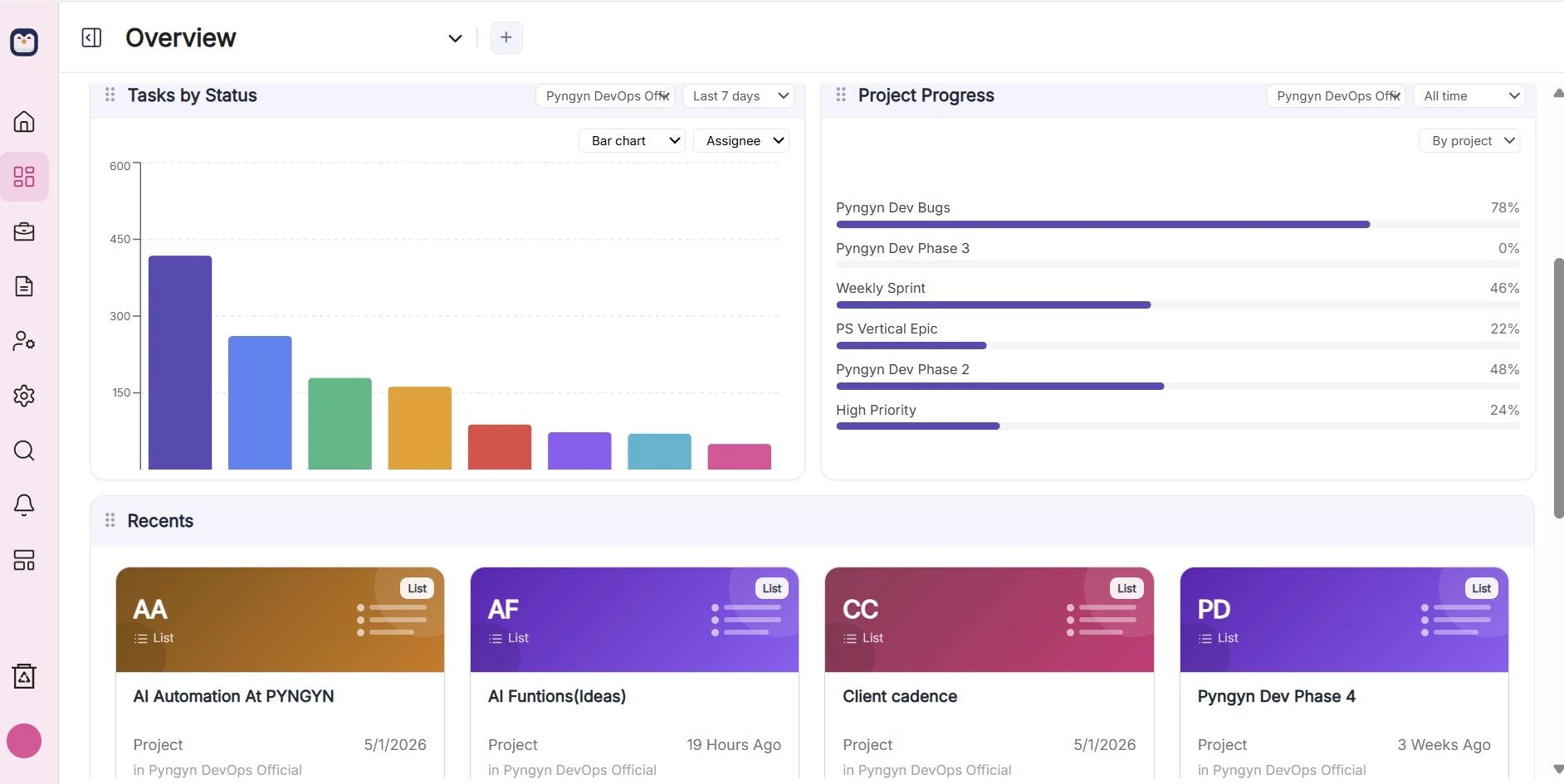
Dashboards you can actually read.
Tasks by status, project progress, and recent work in a customizable overview. Filter by team, project, or time range without building a single spreadsheet.
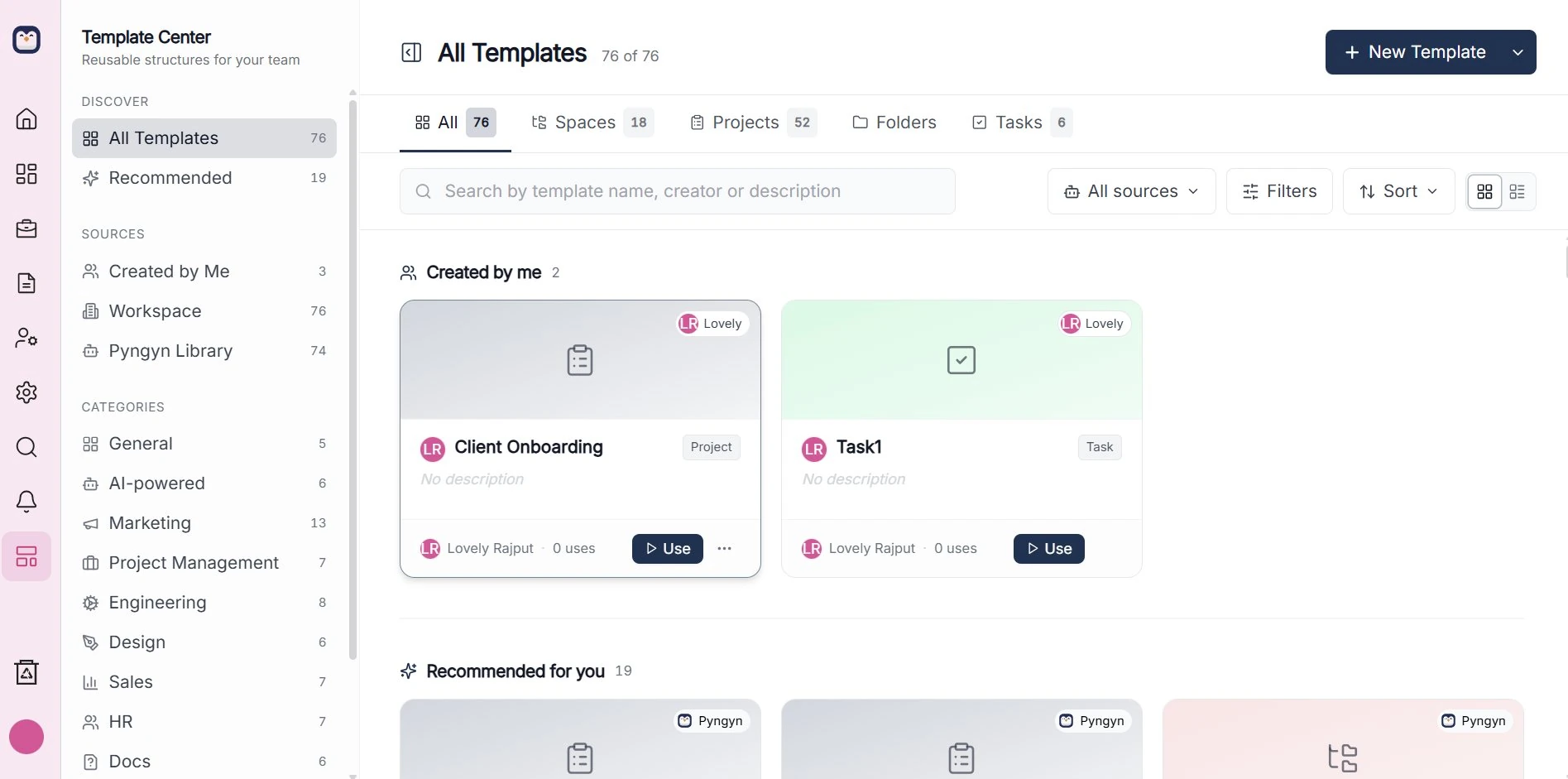
Start every engagement consistent.
Reusable templates for projects, spaces, and tasks, so client onboarding and delivery follow the same proven structure each time instead of starting from a blank page.
Hear it from the teams using it.
Real customers, in their own words. A couple of short clips on what changed once the busywork moved to PYNGYN.
What services teams tell us.
Anonymised observations from conversations with professional-services and consulting firms. Roles only, no names.
“We run client work across WhatsApp, Excel, and three trackers. The team is good, the system is broken.”
“We only learn a project was unprofitable after the invoice goes out. Live engagement health would change how we sell.”
“Our partner review is a Friday meeting. By Monday the status is already stale. We need a system that updates itself.”
Illustrative figures from our free ROI calculator using default assumptions, not customer averages. Model your own firm.
Why teams leave their old tracker.
| Capability | Old trackerTraditional tracker | PYNGYN |
|---|---|---|
| Build the plan | You enter every task by hand | AI drafts it from your goal |
| Keep status current | Manual updates & chasing | Generated automatically |
| Spot risk | You notice when it's late | Flagged before it slips |
| Time to value | Hours of setup | Minutes |
Plugs into the tools you already use.
PYNGYN sits at the center of your workflow. Connect your chat, email, code, and docs once, and plans, status, and updates flow where your team already works.
- Connect once, no per-project setup or re-auth
- Works with chat, email, calendar, code, and docs
- Status and updates flow to where your team already is

Enterprise-grade, by default.
Your data is encrypted, never sold, and never used to train models without your consent.
Pricing that scales with your team.
Flexible, transparent pricing built for teams of all sizes.
Free
Run a single client engagement, client-facing, at no cost.
- 1 user
- 1 client space, unlimited use
- Client-facing
- 6-month history
- AI-drafted status updates
- 1 GB storage (add more ad hoc)
Workspace
For your internal team: capacity planning and expanded AI. Not client-facing.
- Up to 5 seats ($9 per extra seat)
- Internal team workspace (not client-facing)
- Workload distribution
- Capacity planning
- Expanded AI: more drafted updates and summaries
- AI workload insights
Clientspace
Most popularA client portal plus the controls to run client work safely.
- Client portal
- Up to 50 clients
- Scope Guard (scope-change protection)
- Audit-trail approvals
- Up to 5 team seats ($9 per extra seat)
- Client seats: 50 for $10/mo
- AI-drafted client updates
- AI risk flags before deadlines slip
Enterprise
For larger firms that need scale, security, and customization.
- Unlimited users and client spaces
- Unlimited project history
- Advanced team and role management
- SSO / SAML
- Role-based access control (RBAC)
- Data residency and hosting options
- Custom data retention
- Enterprise reporting suite
- Custom report templates
- Advanced insights and data export
- Custom modules, workflows and automations
- Custom integrations and API access
- White-labeling
- Dedicated account manager and premium support
- Custom SLA
- Dedicated onboarding and migration
- 100 GB base (add-ons available)
- Invoice billing, annual contracts, volume discounts
Questions, answered.
A 30-minute guided walkthrough where we run PYNGYN on a project like yours, with no generic slideshow.
Stop managing the tool. Start shipping the work.
See PYNGYN run a real project in 30 minutes, and let AI handle the project management busywork.
30-minute walkthrough · Tailored to your team · No commitment