
Run every engagement from one place.
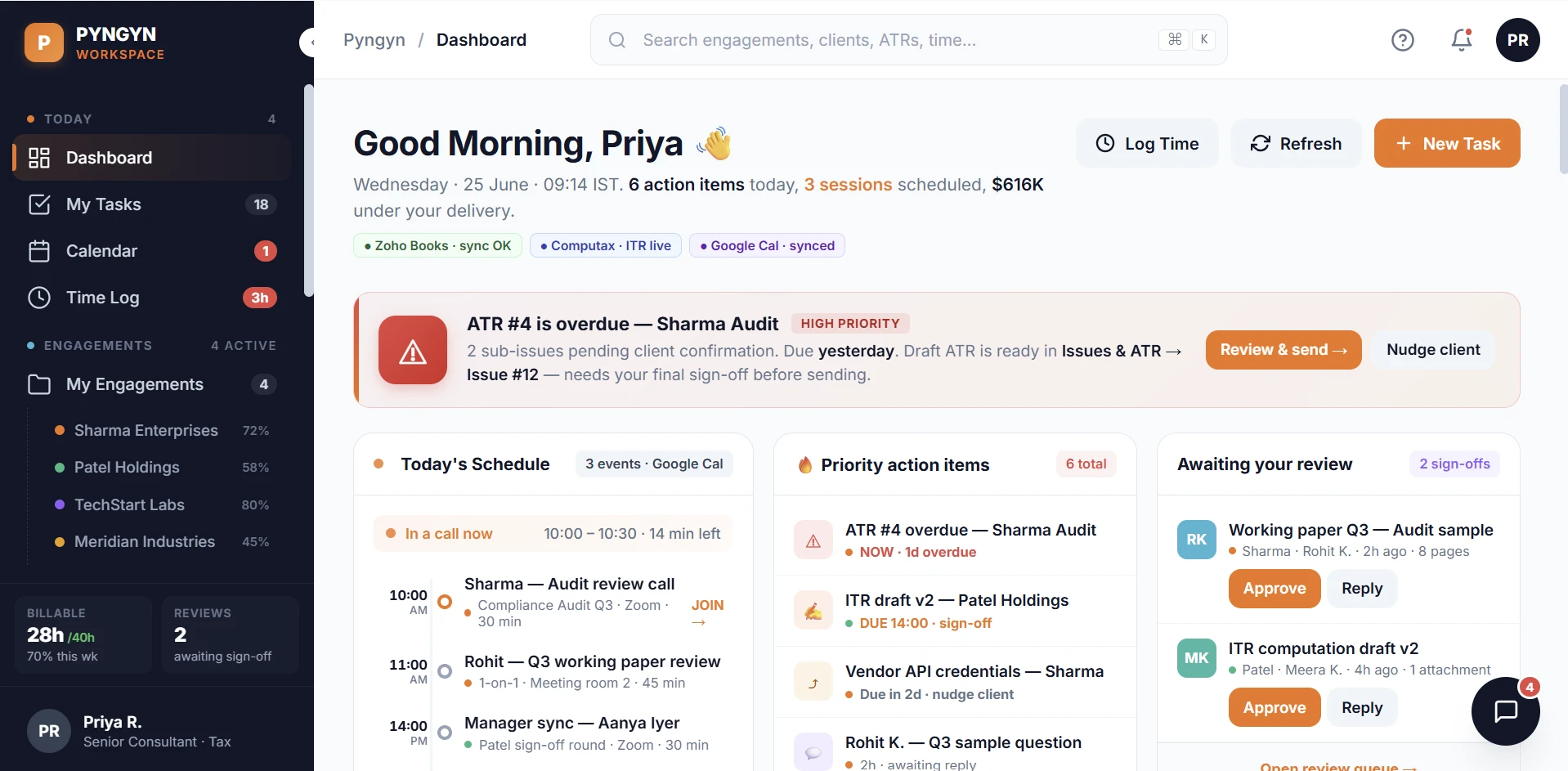
Workspace is PYNGYN's internal command center for managers and delivery leads. Track engagement health, balance your team's capacity, triage requests, and turn change requests into change orders, all in one view.
$9 per seat / month · pair with Client Space at $19 per client, or bundle for $24.99/mo. See pricing
Try Workspace on a real engagement first.
No credit card required, cancel anytime before the trial ends.
Sound familiar?
Running client delivery on email, spreadsheets, and status meetings means the things that matter surface too late. Here is what that looks like day to day.
Status is always a meeting behind
You chase the team for updates, and by the time the report is ready it is already out of date.
Budget overruns surface too late
An engagement slips past budget quietly, and you find out after the invoice, not before it.
Scope creep eats the margin
Clients ask for one more thing, and with no record of the cost it gets absorbed, not billed.
The work is scattered
Requests in email, status in slides, approvals in chat. No single place shows where things stand.
From firefighting to in control.
The same week, run on PYNGYN instead of email, spreadsheets, and status meetings.
You chase the team for status updates.
AI drafts each update from live activity, ready before the meeting.
Budget overruns turn up after the invoice.
Engagements flag the moment they trend over budget.
Scope creep gets absorbed, not billed.
Every change request shows hours, cost, and timeline, then becomes a change order.
Work is spread across email, slides, and chat.
Requests, status, and approvals all live in one place.
Opens on what needs attention
Your day starts with the decisions, not the digging.
Active engagements
Everything in flight, in one list you can act on.
At budget risk
Flagged the moment an engagement trends over budget.
Open change requests
Scope changes tracked from request to change order.
Pending approvals
What is waiting on a decision, and from whom.
Everything your team needs to run the work.
One internal home for delivery, from the first request to the final approval.
Engagement health at a glance
Every engagement shows progress and budget used, with the lead named, so you see what is healthy and what is heading over before it slips.
Triage the request queue
Incoming work lands in one queue with statuses and SLA timers, New, In progress, Awaiting client, Done, so nothing sits unanswered.
Balance team capacity
See who is working on what and distribute workload across the team, so no one is buried while someone else has room.
Keep approvals moving
Pending approvals are tracked in one place so decisions do not stall in inboxes and chat threads.
Role-aware views
Switch perspective between consultant, manager, and director, so each person sees the slice of the work that matters to them.
Business Brain AI
Expanded AI drafts your status updates and summaries, surfaces suggestions, and gives you workload insights, the busywork, handled.
The actual product. Not a mockup.
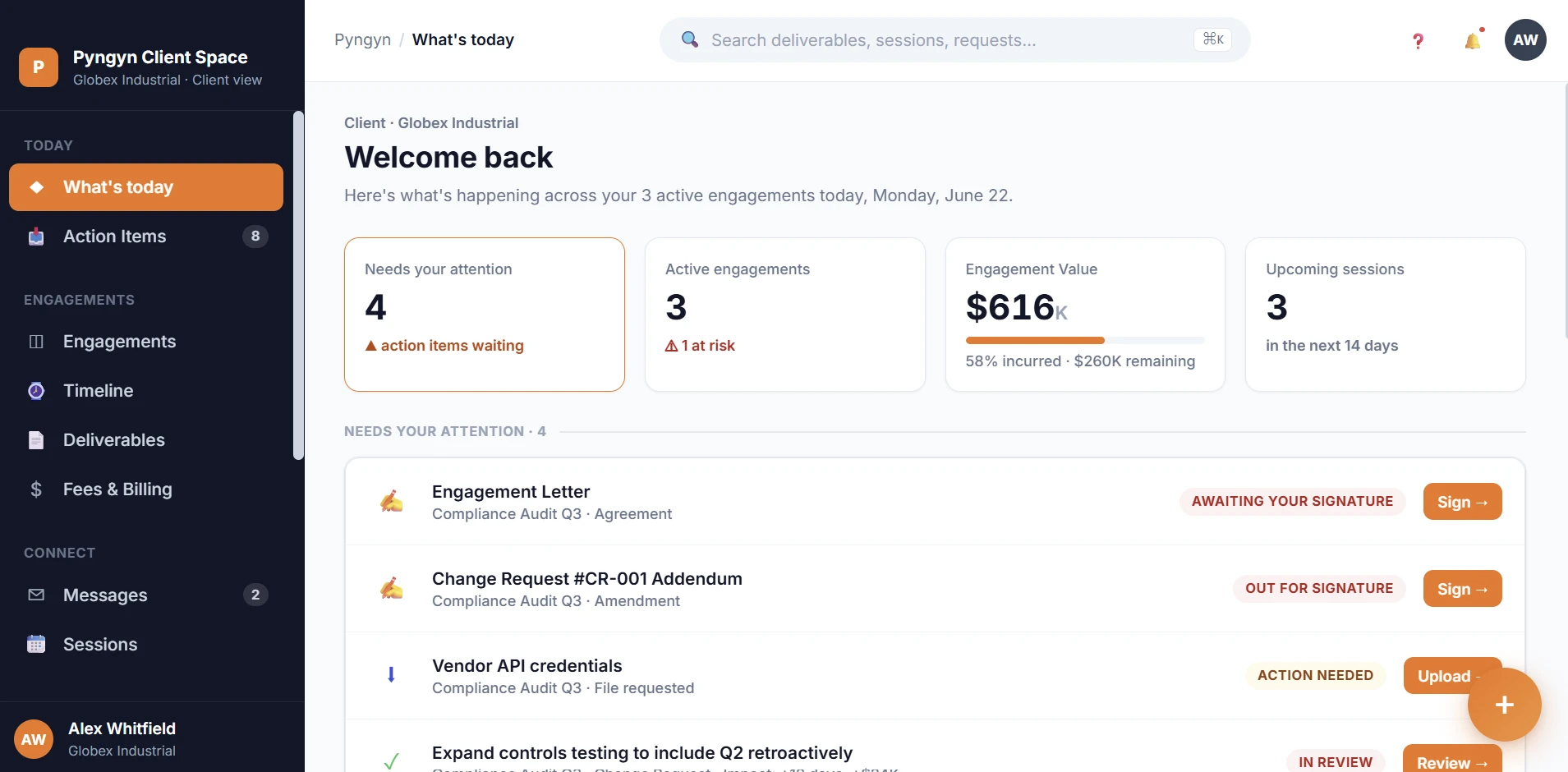
Real screens from Clientspace and Workspace, the two products your firm and clients use every day.
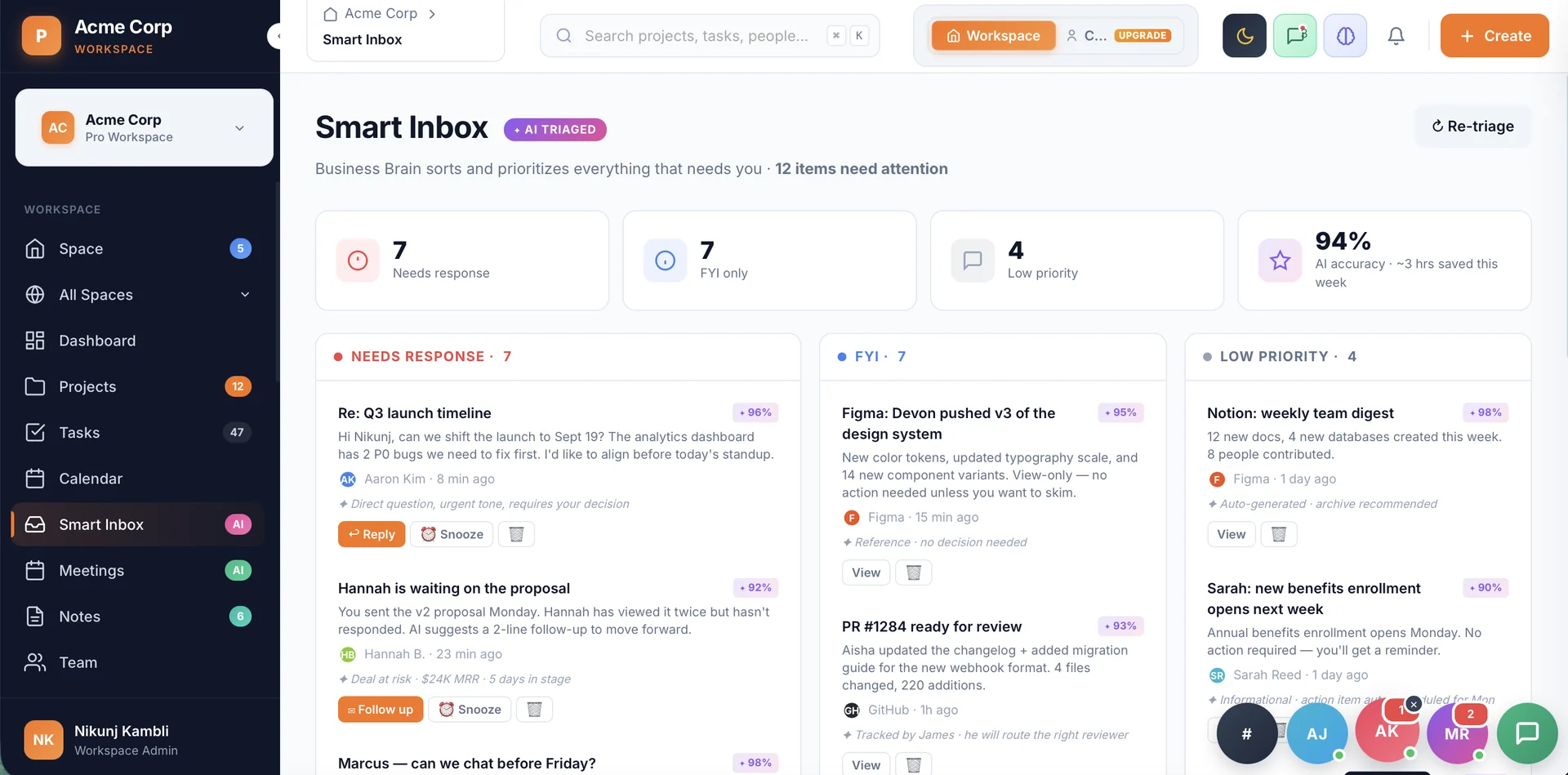
AI triages everything that needs you.
Smart Inbox sorts client replies, approvals, and updates into Needs response, FYI, and Low priority, each with a one-line reason, so partners spend their time deciding, not sifting through a feed.
Turn scope changes into change orders.
When a client asks for more, Workspace shows the implications up front, added hours, added cost, and timeline impact. Generate an AI draft of the client message, edit it, and send.
On approval it becomes a change order: it amends the statement of work and updates the budget automatically, so your numbers never drift from reality.
Illustrative, your live numbers come from the engagement.
Live in an afternoon, not a quarter.
No long rollout. Most teams are running their first engagement the same day.
Create your workspace
Set up your firm's workspace in a couple of clicks. No setup project required.
Add your engagements
Build them directly, or let the AI draft the plan from your goal.
Invite your firm
$9 per seat, no cap. Directors, managers, and ICs each see the work that matters to their role.
Let the AI take the busywork
Status updates, summaries, and risk flags are drafted for you from day one.
Built for client-services firms.
If you bill for delivery and answer to clients, Workspace fits how you already work.
Consultancies
Run multiple audits and advisory engagements without losing the thread on any of them.
Agencies
Keep retainers and project work on scope, on budget, and visible to the whole team.
Accounting
Filings, reviews, and approvals tracked with a clear trail for every client.
Legal
Matter work, redlines, and client sign-offs organized in one place.
What delivery leads tell us.
Anonymised observations from conversations with managers and delivery leads at services firms. Roles only, no names.
“Half my week goes to asking people for updates, just to build a status that is already stale by Friday.”
“I find out an engagement blew its budget when finance flags the invoice, never in time to act on it.”
“Scope changes live in email threads. By the time everyone agrees, we have already done the work for free.”
Works with the tools you already use.
Enterprise-grade, by default.
Your data is encrypted, never sold, and never used to train models without your consent.
Two standalone products. Use one, or bundle both.
Workspace
Internal, not client-facing
- Engagement health and budget tracking
- Team workload and capacity
- Request queue and change orders
- Approvals and reporting
- Business Brain AI
Client Space
StandaloneA branded client portal, works with or without Workspace
- A client portal of their own
- Up to 50 clients
- Scope Guard (scope-change protection)
- Audit-trail approvals
Workspace, answered.
Is Workspace client-facing?
No. Workspace is your internal command center, only your team sees it. Client Space is a separate, standalone product for giving clients a portal of their own, you can add it, or use it without Workspace at all.
How is Workspace different from Client Space?
Workspace is where your firm runs internal work: projects, finances, billable timesheets, Business Brain AI, automations, and team management, all at $9 per seat/month. Client Space is a standalone branded client portal at $19 per client/month, giving each client their own isolated space with client-visible tasks, approvals, and sign-off. Bundle both for $24.99/month.
How many people can use Workspace?
Workspace is $9 per seat per month with no seat cap. Add as many directors, managers, and ICs as your firm needs. See the pricing page for the latest details.
Can the AI draft client messages for a change request?
Yes. When you review a change request, you can generate an AI draft of the client message, then edit it before anything is sent.
What happens when a change request is approved?
On approval it becomes a change order: it amends the statement of work and updates the engagement budget, so your numbers stay accurate without manual rework.
How do I get my work into Workspace?
Start from your goal and let the AI draft the plan, or build engagements directly. The point is to be running real work the same day, not setting up for weeks.
What happens after the free trial?
You can keep your firm on Workspace at $9 per seat/month, and add Client Space at $19 per client whenever you want a client portal, or bundle both for $24.99/month. See the pricing page for what each plan includes.
Do you help with onboarding and support?
Every plan includes support. Enterprise adds dedicated onboarding and migration, a named account manager, and a custom SLA.
Stop managing the tool. Start shipping the work.
See PYNGYN run a real project in 30 minutes, and let AI handle the project management busywork.
30-minute walkthrough · Tailored to your team · No commitment